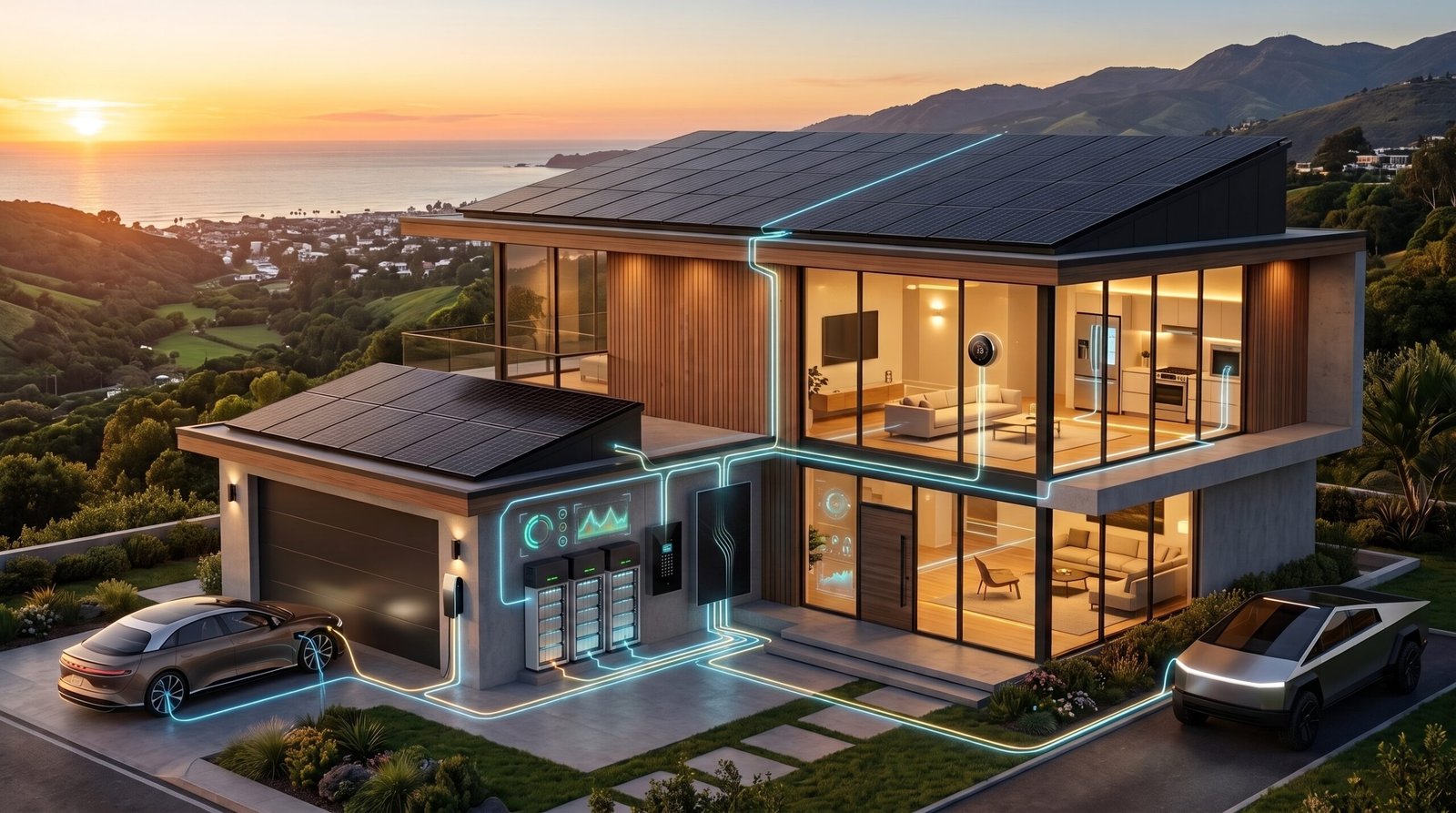
Whole home energy management system upgrades are no longer just futuristic gadgets—they are quantifiably saving tech-savvy homeowners real money by orchestrating solar, batteries, HVAC, and EV chargers down to the circuit level. If you want transparent ROI and fewer energy bill surprises, understanding what actually works (and what can go wrong) is the first step toward choosing the right smart home energy management system in 2026.
Key Takeaways
- AI-powered whole home energy management systems consistently deliver 7–15% reductions in electricity bills, with smart automation and active user engagement driving savings.
- Payback for a quality system ($300–$500) is typically 3–5 years; panel-level upgrades like Span or Emporia Vue 3 offer faster ROI if you have solar and battery.
- Compatibility and integration issues remain the most common pain point—always confirm that your existing HVAC, solar, batteries, and smart devices will play nicely.
Table of Contents
Why “whole home energy management system” matters now
Just a few years ago, smart home energy management system solutions mostly meant plug-in monitors or basic app-based controls for a handful of gadgets. Today the shift is toward panel-level, AI-driven orchestration that learns, automates, and coordinates your home’s total energy flows—from solar, to batteries, to backup generators, and down to specific appliances. For households consuming around 9,000 kWh per year, research shows that whole home AI orchestration consistently shaves 7–15% off annual bills, translating to $120–$250 saved each year at current rates [2].
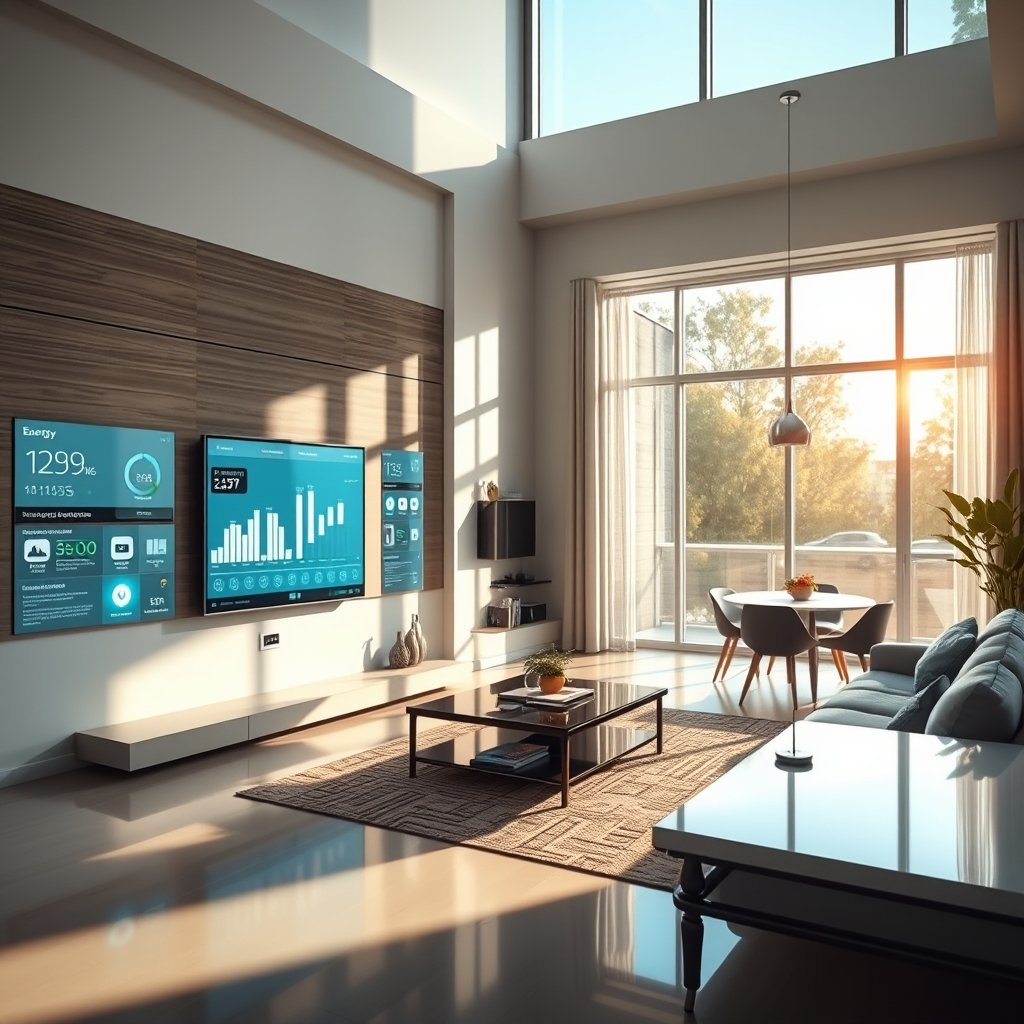
This isn’t hype. Main-panel level platforms like the Span smart panel and Emporia Vue 3 can measure, shift, and (in some cases) directly control home circuits in real-time. The result? Not only lower bills, but genuine resilience in outages, time-of-use and solar tariff optimization, and better insights for upgrades or behavioral tweaks. If you value concrete payback and long-term utility cost reduction, investing in a full-scale whole home energy management system is one of the most actionable upgrades available today.
Looking to build or upgrade your smart home ecosystem from scratch? Start with our Smart Home Automation for Beginners Guide.
How home energy orchestration AI actually saves you money
At the heart of modern whole home energy management system platforms is home energy orchestration AI: software that not only monitors, but predicts and actively schedules every major load. Here’s how advanced home energy AI automation works to reduce your real-world power bills:
- Predictive Load Shifting: AI learns your usage patterns, solar production, and local tariffs—then schedules flexible loads (like EV charging, water heating, HVAC, pool pumps) for the cheapest, greenest windows.
- Tariff-Aware Scheduling: By integrating your utility’s time-of-use rates, the system avoids peak billing periods and maximizes solar or battery self-consumption.
- Solar and Battery Coordination: AI coordinates when to use grid power, when to prioritize solar generation, and when to tap or recharge batteries—maximizing savings and outage resilience.
- Automated Demand-Response Enrollment: Some systems now auto-enroll you in utility incentive programs, shifting loads or exporting energy when the grid needs help, with minimal user intervention.
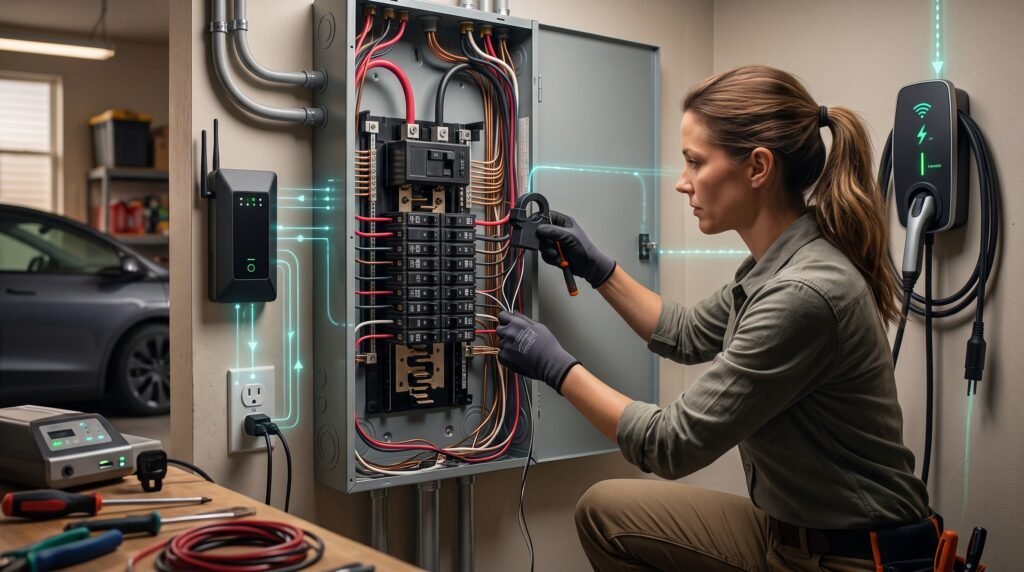
Recent studies confirm that combining AI automation with modest user interventions delivers about 10% annual reduction for engaged households—driving consistent ROI [4].
Quantified ROI and payback scenarios homeowners care about
Return on investment is the number one question for homeowners weighing a new energy management platform. Here’s what the real numbers look like:
- Basic Monitor & Install ($300–$500 all-in): Pays back in 3–5 years for an actively used system, assuming 7–10% reduction in annual energy use. For a 9,000 kWh home at $0.20/kWh, that’s $126–$180 saved each year [2].
- Panel-Level System (Span/Emporia Vue 3 or Equivalent): Same or faster payback (3–4 years), plus extra value if you coordinate solar, batteries, or backup loads—net-present-value ROI improves to 150–250% over 5 years.
- With Solar + Battery: Full orchestration means time-of-use tariff hacking, better backup management, and easier participation in export or demand-response incentives.
If you’re looking for the best home energy monitor 2026 models, focus on the features that accelerate payback: robust AI automation, solar and battery integration, and clear, actionable insights rather than just raw data.
Want to learn how the latest smart home standards like Matter can future-proof your setup? See our Matter Protocol migration guide.
Span smart panel — real user reliability and integration notes
Span smart panel review feedback is notably polarizing. On the positive side, Span offers full panel-level circuit control, good app design, and tight integration for homes with solar and/or batteries. For many, this translates to higher resilience and smoother outage management compared to “monitor only” systems.
But in the real world, even high-end whole home energy management systems like Span can introduce hiccups. The most common complaints we see in verified Span smart panel review threads:
- Inconsistent app-panel synchronization—sometimes showing stale load data or delayed status when there are fast load changes.
- Intermittent communication errors with high-draw circuits (like Level 2 EV chargers), creating confusion about actual power usage.
- Compatibility quirks with older smart thermostats and some third-party devices (integration with legacy gadgets is a repeated pain point).
If you’re considering Span, ask your installer:
- Does the setup require subpanels or could it replace your main panel directly?
- Is your EV charger/solar inverter tested for Span compatibility? (Check with both Span and your device brands.)
- What are the support and firmware update policies if the panel ever loses cloud sync?
For further context on common integration pitfalls and how to avoid them, see our beginners’ smart home guide.
Emporia Vue 3 — hardware reliability vs software setup limits
The Emporia Vue 3 review consensus in 2026 is clear: the hardware itself is robust, offering granular real-time circuit monitoring whether you have a single main panel or multiple subpanels. Advanced users praise Emporia’s flexibility (supporting up to dozens of sensors), straightforward installation for most setups, and best-in-class pricing.
However, the biggest drawbacks revealed by long-term owners reflect frustrating software limitations:
- Laggy or unreliable aggregation when monitoring multiple panels or subpanels—big homes may see out-of-sync readings.
- Occasional false-positive alerts, especially when learning complex load signatures, leading to unnecessary notifications.
- Steep learning curve for those wanting to automate reporting, set up alarms, or link with smart plugs for circuit-level cutoff.
For the “best home energy monitor 2026” title, Emporia Vue 3 falls short mainly due to UX and automation limits—not hardware quality. If you want effortless savings with complex legacy hardware, you’ll need to invest time tuning the system or consider a platform with deeper built-in automation.
If you’re curious about making Emporia play nicely with your other smart home gear, our Matter compatible devices list is a useful reference.
Three crucial AI orchestration gaps competitors aren’t addressing
While the market for home energy orchestration AI has exploded, key product gaps remain. Here are three critical areas where current entrants (including Span, Emporia, Schneider, and Sense) are falling short, and what smart buyers should look for:
| Needed Feature | Gap/Status (2026) | Why It Matters |
|---|---|---|
| Edge-compute, predictive, real-time load shifting | Most platforms still use laggy cloud analytics or require user actions | Misses out on real-time tariff/weather/occupancy signals; reduces savings |
| Bidirectional, auto utility interaction | Manual setup required for demand-response/net-metering | Users miss or delay extra revenue, demand-response opportunities |
| Integrated safety and health monitoring | Rarely provided in a unified interface | No proactive arc-fault, overload, or breaker-health alerts |
Seeking a system that checks all these boxes puts you ahead of the market. Not only does this approach maximize cost savings, but it provides future-proof resilience and insurance against hardware or software obsolescence. For a discussion of broader smart home AI integration, our automation guide covers common pitfalls and best practices.
Compatibility and installation checklist to avoid integration headaches
No matter which whole home energy management system you choose, compatibility mismatches cause the majority of regrets. Here’s a step-by-step checklist to protect your investment:
- Thermostat/EV Charger Compatibility: Confirm with both the system maker and your HVAC/EV device manufacturer—legacy thermostats and some EV chargers are notorious for integration issues (see client data).
- Solar Inverter/Battery Interoperability: Some systems only work with specific inverter models (Span and Emporia both have published compatibility lists—always check the most recent firmware support).
- Main Panel vs Subpanel Needs: Audit your home’s wiring—do you need multiple monitors or is a single-panel solution enough?
- App/Firmware Upgrade Policy: Only choose brands with long-term update commitment—firmware bugs and discontinued app support are a leading cause of lost savings.
- Installer Certification: Use only certified installers familiar with your utility, local code, and the specific system brand.
For reducing Span or Emporia pain points, always verify device and software compatibility upfront, and document all devices you’ll integrate prior to purchase or install. If you’re building out a new smart home platform, visit our complete smart home guide for more step-by-step best practices.
How to evaluate “best home energy monitor 2026” for your home
Rather than chasing hype, use this practical rubric to score any platform claiming to be the best home energy monitor 2026 for ROI, automation, and resilience:
- ROI/Payback Timeline: Prioritize systems with a 3–5 year payback at your actual consumption level—factor in all install costs (monitor, sensors, electrician fees).
- AI Orchestration Capabilities: Look for predictive, real-time load management with proven automation percentage, not just raw data tracking.
- Edge vs Cloud Processing: Edge is preferable for resilience and speed, while cloud-only solutions introduce lag and downtime risk.
- Utility and Tariff Integration: Native support for your local time-of-use or demand-response programs accelerates cash savings and unlocks incentives.
- Safety and Health Monitoring: Non-negotiable for high-draw circuits, solar, or battery homes. Look for breaker, arc-fault, overload status.
- User Experience: A good app, clear dashboards, and a helpful alert system encourage regular engagement (crucial for maximizing savings pace).
Active users who select based on these criteria typically recoup monitor cost in 3–5 years and continue to realize higher household resilience and lower bills long after. Want more detailed selection tips? Our Matter smart home migration guide dives deeper into device interoperability, upgrades, and certification signals to look for.
Quick decision flow and next steps
Not sure which direction is right for your home? Use this quick flow:
- Do you have solar and/or battery?
If yes, prioritize panel-level orchestration like Span or similar, ensuring solar inverter/battery compatibility. - Want basic monitoring only (no orchestration)?
Emporia Vue 3 or a sensor-based monitor with select smart plugs may suffice—for advanced analytics, pick platforms with good app support. - Interested in utility demand-response or selling energy to the grid?
Require a platform with real bidirectional utility API connectivity—some utility partnerships are only available with select systems (recent utility integrations detailed here).
Questions to ask installers:
- Does my main or subpanel need upgrading or rewiring for integration?
- Can the proposed setup natively communicate with my thermostat, EV charger, and solar inverter?
- How are outages, firmware bugs, and customer support handled after the warranty ends?
Red flags: vague compatibility answers, no step-by-step documentation, resistance to discuss firmware or app upgrade policy, or “DIY only” recommendations for complex installations.
Remember: On a 9,000 kWh home, every 7% bill reduction delivers about $126/year in savings—use this as your baseline for comparing system promises against total install cost [2].
Appendix: Sources and model assumptions for ROI calculations
Our ROI and payback scenarios use the following standardized assumptions:
- Annual household consumption: 9,000 kWh/year
- Average utility cost: $0.20 per kWh
- Monitor + install cost: $300–$500 (including all required sensors and labor)
- Measured bill reduction: 7–15% (dependent on engagement and interoperability)
- Panel-level systems net-present-value ROI: 150–250% over a five-year period
- Main drivers of variation include actual local utility rates, seasonal solar production, battery usage, and depth of user engagement.
Key Data Sources:
- Energy Solutions case data (2026)
- Frontiers in Control Engineering (Jamadarkhani et al., 2025)
- Business Research Insights, 2026
FAQ
How much can I really save with a whole home energy management system?
Research shows typical reductions of 7–15% on annual electricity use, translating to $120–$250 a year for a 9,000 kWh home at $0.20/kWh, if the system is properly integrated and the homeowner is engaged.
Are these systems compatible with solar and battery setups?
Most modern systems (like Span or Emporia Vue 3) are designed for solar and battery integration, but always check current compatibility lists and firmware updates to avoid frustrating hiccups.
How hard is installation, and do I need a professional?
Panel-level solutions require a licensed electrician and may need main panel or subpanel upgrades. Basic monitor installs might be DIY, but pro installation is strongly recommended for reliability and code compliance.
What are the main causes of system failure or lost savings?
The most common issues are integration mismatches (legacy thermostats/chargers), software bugs, discontinued cloud services, and outdated firmware. Ensuring compatibility and choosing brands with strong support reduces risk.
Which is better: Emporia Vue 3 or the Span Smart Panel?
Emporia Vue 3 excels in hardware reliability and affordability for monitoring, but has software limitations for automation. Span offers deeper panel-level control and better app experience—but at higher cost and sometimes trickier integrations. Your best choice depends on your goals and device mix.
—